

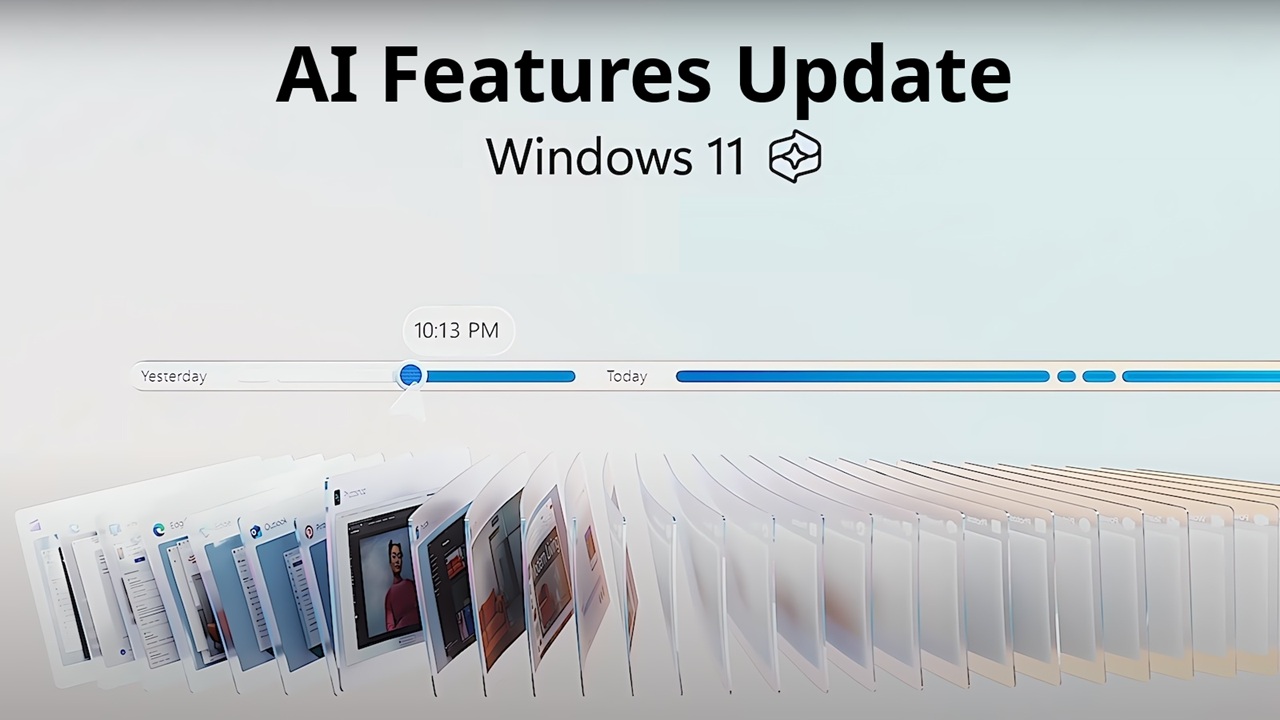
Windows 11 has taken a big step forward by building artificial intelligence directly into the operating system. Instead of AI living inside separate apps, it is now part of how the PC works day to day. The update focuses on three main tools: Copilot, Recall, and Auto Summary. Each one is meant to cut down on busywork and make everyday tasks simpler.
The real shift is that Windows is starting to act less like a passive tool and more like a helpful partner. Copilot lets you use plain language to adjust settings or complete tasks. Recall helps you find things you have already seen on your screen. Auto Summary quickly shortens long content so you can grasp the key points.
For everyday users, this can mean fewer clicks and less time hunting for files. For professionals, it can speed up research, reviews, and navigation. This update matters because it changes how people interact with their computers, making the experience feel more supportive and efficient.
What Is New in the Windows 11 AI Features Update
This update introduces AI tools that work at the system level. Some processing happens on your device, while other parts rely on the cloud. The idea is for these features to stay out of the way until you need them.
Main additions include:
Windows Copilot
A built in assistant that responds to natural language and helps with settings, apps, and common tasks.
Recall
A searchable history of your past activity, based on what you saw or did.
Auto Summary
A tool that turns long content into short summaries.
System wide AI integration
AI now appears in places like File Explorer, Settings, and supported apps.
Many of these features run best on newer hardware, especially Copilot Plus PCs with AI focused chips. Older devices may not support everything.
Windows Copilot: Built In Smart Assistance
What Is Windows Copilot
Copilot is an AI assistant that lives inside Windows 11. You can type requests in everyday language and get help right away. Unlike older help tools, Copilot can actually interact with your system instead of just giving advice.
How It Works
Copilot uses both local processing and cloud AI. It figures out what you mean, then either performs the action or guides you. Some tasks stay on your device, while others use online services.
What You Can Do With It
Copilot can change settings like dark mode or volume. It can summarize documents, explain formulas, or help rewrite text. You can even ask it to draft emails or compare information. With a simple command, you might even have it guide you through downloading a Windows 12 ISO or managing files from your Windows 12 ISO setup. Instead of digging through menus, you can simply ask. That convenience is where Copilot shines. It reduces friction and helps you stay focused.
Windows Recall: Finding What You Forgot
What Recall Does
Recall helps you rediscover things you have already seen. This includes websites, images, documents, and apps. It is designed for moments when you remember the context but not the name.
How It Works
Recall takes snapshots of your screen from time to time. These stay stored locally and are organized using AI. When you search, it looks for matches based on your description.
How It Differs From Regular Search
Traditional search depends on file names or exact words. Recall works more like your memory. You can search for something like a chart you saw last week or a page with a certain image.
Microsoft includes privacy controls so you can pause, filter, or delete data whenever you want.
Auto Summary: Quick Overviews of Long Content
What It Does
Auto Summary creates short, readable summaries from long text. This helps you understand the main ideas without reading every word.
Where You See It
You might see summaries in File Explorer previews or inside supported apps. Some apps let you request a summary directly.
Accuracy and Limits
It works best with clear, structured writing. Creative or highly technical text may not summarize perfectly. Think of it as a shortcut, not a replacement for reading when details matter.
Privacy, Security, and Control
How Data Is Handled
Some AI tasks happen locally, others use the cloud. Recall is designed to keep its data on your device. Copilot may send limited data online to generate responses.
Your Controls
You decide what stays on or off. Recall can be paused or disabled. You can exclude apps or sites. Copilot permissions are also adjustable.
What to Review First
Check privacy settings and storage impact before enabling everything. Shared or work devices may need tighter controls. Microsoft provides tools to manage and clear data.
System Requirements and Compatibility
Many AI features depend on modern hardware.
Typical requirements:
-
Copilot Plus PC
-
AI optimized processor
-
Dedicated NPU
-
Enough RAM and storage
-
Latest Windows 11 version
Without these, Windows 11 still runs, but advanced AI tools may not.
How This Differs From Older Windows Versions
Earlier Windows versions relied heavily on manual navigation. You needed to know where files lived and which app to open. Today, many users are already searching for terms like windows 12 download and windows 12 iso download, expecting the next version of Windows to push this evolution even further.
Windows 11 moves toward describing what you want instead of clicking through steps. Copilot handles requests, Recall helps you retrace your steps, and Auto Summary shortens reading time.
The big change is moving from manual workflows to AI assisted ones. It feels less like operating software and more like working in a responsive environment.
Real World Examples
A student can use Copilot to simplify tough topics and summarize articles. Later, Recall can help them find a diagram they remember seeing.
An office worker can skim reports using Auto Summary before meetings. Recall can bring back past spreadsheets without remembering names.
Creators can find past inspiration faster and use Copilot to refine captions or organize ideas.
For everyday users, it simply makes common tasks easier and less tiring.
Limitations and Concerns
These tools are helpful but not flawless.
They can use extra system resources, especially on weaker hardware. AI can also misunderstand context or oversimplify. Important work should always be double checked.
Availability is another factor. Some features are limited by hardware or region. These tools are best seen as helpers, not replacements.
FAQ
Is Copilot free?
Yes, it is included in supported Windows 11 versions. Some features need internet or a Microsoft account.
Can Recall be turned off?
Yes, fully. You can also delete stored data.
Does Auto Summary work offline?
Sometimes, for simpler files. Complex summaries usually need internet.
Are these features on all PCs?
No, many require newer AI ready hardware.
Is data sent to the cloud?
Some is, some stays local. You control permissions.
Final Thoughts
Windows 11 AI features are designed to make life easier, not take control away. Copilot, Recall, and Auto Summary work best when treated as supportive tools. Used wisely, they can save time, reduce effort, and smooth out daily computer use.